
MSC Integration Docs
Microsoft Teams
Overview
- Associates and reps can do their full sourcing workflow in Teams, without opening another tool.
- They can source a single line, a forwarded customer email or a full Excel list, then run crosses, check status, chase suppliers and approve RFQs in the same conversation.
- Every request runs through the same pipeline, roles and audit trail as a List Manager line.
Phase: Pilot. MSC owner: M365 and Teams admin.
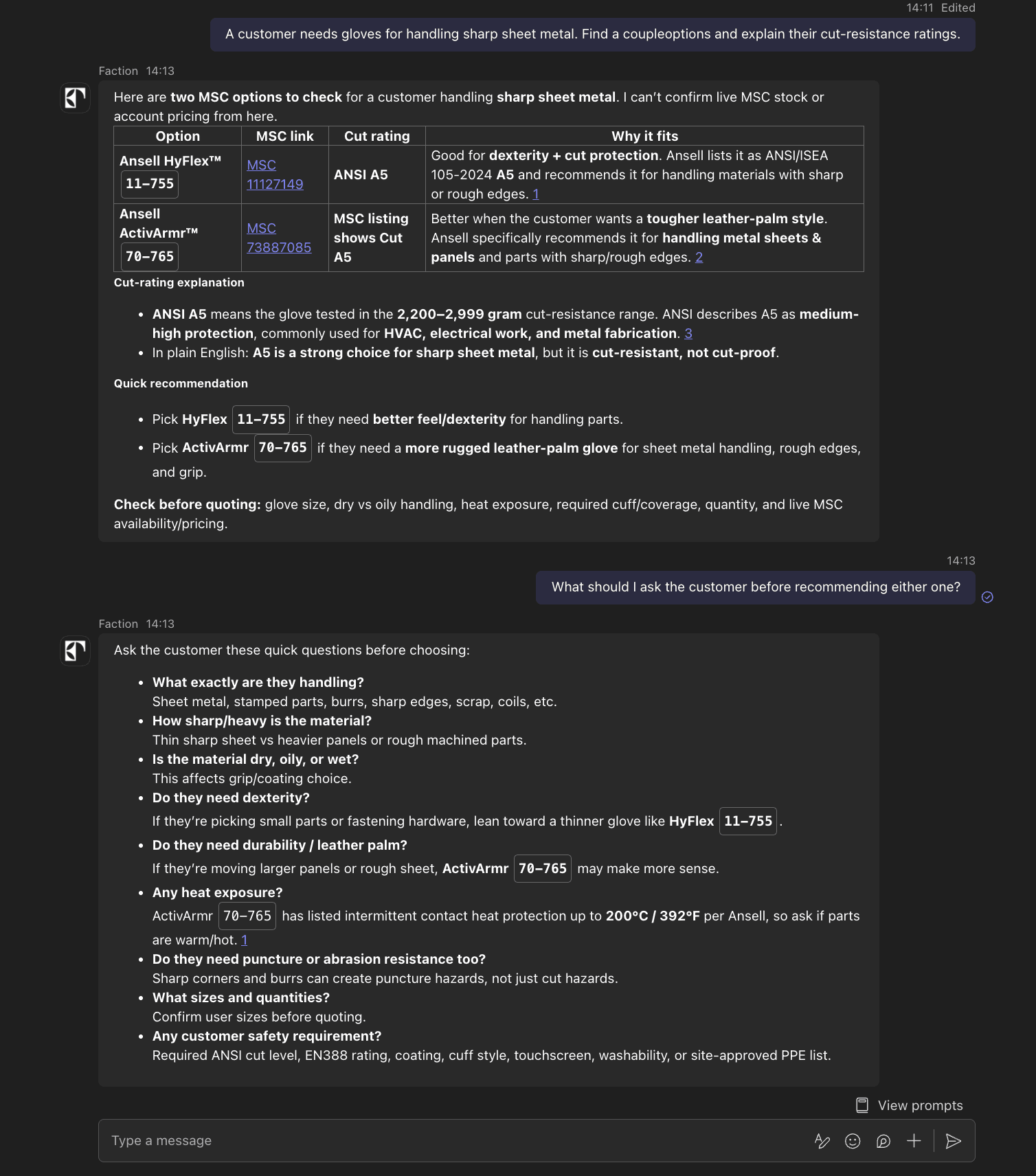
The Teams agent is the same agent that runs the Faction platform, with the same data, permissions and approval rules. Anything an associate can do in the platform, they can ask for in Teams in plain English: sourcing single lines and full lists, finding and comparing options for a customer requirement, explaining specifications, preparing questions for the customer, chasing suppliers and approving RFQs. It keeps the context of each thread, so follow-ups work without restating the request.
Setup
- M365 admin grants consent for the Faction app in the Microsoft admin center.
- Teams admin adds the Faction app to the teams and channels MSC chooses, for example a sourcing desk channel.
- Each user signs in once, so requests and approvals are attributed to them.
What associates can do in Teams
| Request | Example | Result |
|---|---|---|
| Source a line | @faction source 40 of 8536SBO2V02, needed Friday | Candidates and the 19 fields, in the thread |
| Send a list | Drop an Excel sourcing list into the chat | Every line is sourced; progress and the completed list come back in the thread |
| Forward a request | Forward a customer email into the channel and ask @faction source this | Lines are extracted and sourced |
| Check status | @faction where are the Acme lines? | Current state of each line, including lines with suppliers |
| Run a cross | @faction cross this to what we stock, in stock only | The equivalent, with availability and source |
Approvals in Teams
When an RFQ or a source selection needs sign-off, it arrives as a card showing exactly what will be sent, with Approve, Reject and Open in Faction. Cards go only to the users MSC's approval rules name. Approving from a card has the same permissions and audit trail as approving in the Faction platform.
Security
- The app reads only channels and chats it has been added to.
- MSC's Microsoft tenant is bound to MSC's Faction workspace only, and the agent answers only signed-in MSC users.
- MSC can remove the app or revoke consent at any time.
MSC provides: admin consent and the choice of teams and channels.
Faction handles: the app, tenant binding, approval cards and monitoring.